How AP automation works for a 40-vendor finance team
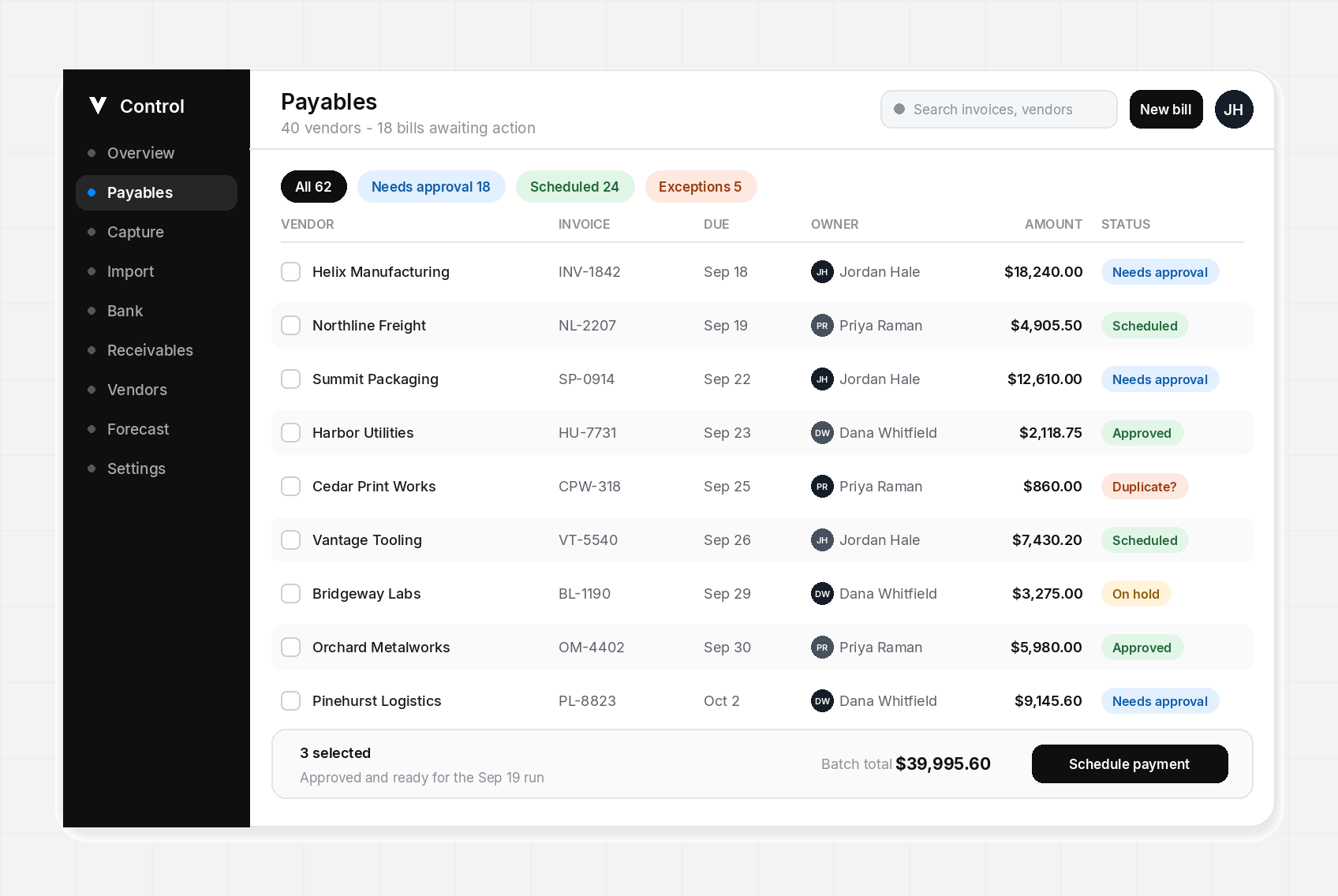
A forty-vendor payables file is an awkward size. It is too big for one person to hold in their head and too small to justify a six-month ERP project. So it ends up in a spreadsheet, and the spreadsheet quietly becomes the system of record.
That works until it does not. A duplicate invoice slips through because two people were looking at two copies of the file. A payment goes out late because the due date lived in an email thread. A credit memo never gets applied because nobody owned it. None of these are exotic failures. They are the normal cost of running payables without a queue.
AP automation is not a black box that pays your bills. It is a repeatable path from invoice intake to approved payment, with a record you can audit afterward. This note walks that path at forty vendors, which is where most teams first feel it.
Step one: one intake point
Every invoice has to land in the same place. Email attachments, vendor portals, PDFs someone scanned at the front desk, and the recurring bills that arrive as a monthly statement all count. If intake is split across three inboxes, there is nothing clean to work on, and the first thing you automate is confusion.
A single intake queue does two things. It gives you a complete denominator, so you know how many bills are in play this week. And it gives every downstream step a stable starting point: the bill exists, it has a vendor, it has an amount, and it has a due date.
What intake should capture
Vendor, invoice number, invoice date, due date, amount, currency, and the source document. That is the minimum. Anything less and someone opens the PDF again later to answer a question the record should have answered.
- Capture the invoice number, because it is how you catch duplicates.
- Capture the due date from the invoice, not from the day it arrived.
- Keep the original PDF on the record so the trail survives the person who filed it.
Step two: match before you route
Matching is the step teams skip when they are busy, and it is the step that costs the most later. Match the invoice to a vendor record, then to a purchase order or an accrual if one exists. If any of those do not line up, flag it. Do not guess.
At forty vendors you will produce enough exceptions that guessing becomes policy within a month. A flagged exception is cheap. A guessed match that turns into a duplicate payment is not.
The common mismatches are boring: a vendor with two records because someone typed the name differently, a partial shipment billed in full, a freight charge that was never on the PO. Name them, route them, move on.
Step three: approvals that name a person
A forty-vendor team usually has two approvers and a controller who steps in when either is out. That is a rule. Write it down inside the tool instead of relying on a message that scrolls away.
Thresholds belong on the invoice itself. If the amount crosses a line, the record should say who signs next, not imply it. When the named owner is out, the record should already know the backup. Approvals stall because nobody is sure whose turn it is, not because people refuse to approve.
Reminders matter more than escalation. A daily nudge to one named person clears more invoices than a weekly report to everyone.
The four things an approver needs on screen
- What the bill is for, in one line, so the approver does not open the PDF.
- Whether it matched a purchase order or an accrual.
- What happens to the cash week if it is approved today.
- Who approved the last invoice from this vendor, and when.
Step four: pay on the schedule you agreed to
Early payment is a choice. Late payment is a control failure. Those are different things, and the schedule is where you keep them apart.
Batch your payments so cash out is planned rather than remembered. A batch also gives you one place to hold something. If the cash week is tight, you hold a line in the batch instead of the whole run.
The payment date belongs next to the invoice, not in a calendar reminder owned by one person. When someone asks why a vendor was paid on the twelfth, the answer should be in the record.
What forty vendors still breaks
Automation does not fix a messy vendor file. It scales it. Before you automate payments, merge duplicate vendor records, confirm banking changes through a channel other than the email that requested them, and decide what happens to credits.
Credits are the quiet one. A credit memo that is not applied to the next scheduled payment turns into a balance nobody chases and a reconciliation nobody enjoys.
Closing an invoice is the last step, and it should depend on the bank. An invoice is not done when it is approved. It is done when the bank line matches the scheduled amount and the record says so.
How to tell it is working
You do not need a report to know whether the path is holding. Three questions answer it.
- Can you say, without opening a spreadsheet, how many bills are waiting on a person right now?
- Can you name the owner of every invoice older than five days?
- Did anything get paid this month without an approval on the record?
If the answers are yes, yes, and no, the queue is doing its job. If any answer is soft, the side list is back, and payables is living somewhere you cannot see.
Where Control fits
Control is the operations layer for that queue. It handles intake, matching, approval routing, and payment timing, and it keeps the trail in one place. Capvolta is not a bank and does not lend. Payments move through licensed processors, and your ledger stays where it is.
Start with the vendors you already pay on a schedule. Those are the easiest to automate and the fastest to make boring. Once the routine payments run themselves, spend the time you got back on exceptions, which is where the money actually hides.
Get payment alerts by text
Account notifications for payments, invoices, and cash flow warnings. No promotional messages.