A bookkeeper's path to recommending operations software
Clients ask bookkeepers for software recommendations constantly, and most of the time the honest answer is that they do not need new software. They need someone to decide who approves what.
But sometimes they do need it, and recommending the wrong thing is worse than recommending nothing. A tool that duplicates the ledger creates two systems of record. A tool that requires an implementation project creates a stalled implementation project. Either way, the bookkeeper who suggested it owns the outcome.
This is the path that tends to work: diagnose one specific failure, separate the books from the operations queue, pilot on a narrow slice, and only then talk about the whole platform.
Diagnose one failure, not a category
Clients describe the problem in general terms. Cash feels tight. Vendors keep calling. Close takes too long. Those are symptoms, and you cannot buy software for a symptom.
Push for the specific incident. Which vendor called, and what had happened to that invoice? What was the last close actually waiting on, hour by hour? When the client says cash feels tight, ask what they looked at before they said it. Nine times out of ten the answer is a spreadsheet that was last updated eleven days ago.
A named failure gives you something to test against later. Without one, any tool looks like an improvement for about six weeks.
Separate the books from the queue
This is the distinction most clients have never had explained to them, and it is the one that makes the rest of the conversation easy.
The ledger is the record of what happened. The operations queue is the work that happens before anything is recordable: the invoice arriving, someone deciding whether it is legitimate, an approver signing off, a payment being scheduled against the cash the business actually has.
Accounting software is built for the first job and gets stretched into the second. That stretch is where the spreadsheets appear. When a client tells you their accounting system cannot do approvals, they are not complaining about the software. They are describing its scope.
Saying this out loud protects your own work too. A client who understands the split stops asking you to chase approvals, which was never bookkeeping.
Recommend against your own convenience
There is a version of this conversation where the bookkeeper recommends whatever is easiest to work in. Resist it. The client's team lives in the tool every day. You are in it a few hours a month.
The right question is whether the client's own people will keep the queue current without being chased. If the answer is no, better software will not save it, and you will be the one explaining why the numbers moved.
Pilot narrow
Do not start with everything. Start with the vendors the client already pays on a schedule, which is usually the least interesting third of the file and therefore the safest place to change how the work runs.
Run that slice for one full cycle. One month of intake, approval, scheduling, and matching back to the bank. If the routine payments get boring, expand. If they do not, you learned something cheap.
The close at the end of that cycle is the real test. Not whether the client likes the interface, but whether you spent less time asking questions.
What clients push back on
Three objections come up almost every time, and having an answer ready is most of the work.
The first is cost, which is rarely about the number. It is about the client not being able to picture what changes. Answer it with the specific failure you diagnosed earlier: the vendor who called twice, the payment that went out late, the four hours you spent last close chasing an approval that had never been routed. A price is easy to evaluate once it sits next to a named problem.
The second is that they already have accounting software. This is the books-versus-queue distinction again, and it lands better as a question than a correction. Ask where the approval for last month's largest bill is recorded. If the answer is an email thread, the point makes itself.
The third is that their team will not use it. Sometimes that is true, and you should say so. A client whose ops manager refuses to change how payables runs will not be rescued by a subscription. That is a conversation about the process, and it is better to have it before the invoice than after.
Be honest about what it does not do
Operations software will not fix a vendor file with three versions of the same supplier in it. It will not decide who approves what. It will not make a client pay attention to receivables they have been ignoring for a year.
What it does is make those things visible and give them an owner, which is usually enough, because most of these problems persist through invisibility rather than disagreement. Saying this plainly protects the recommendation. A client who was told the tool would fix their process will blame the tool. A client who was told it would show them their process will use it.
What to check before you recommend anything
Run any candidate through the same short list. It filters out most of the market quickly.
- Does it leave the ledger alone, or does it want to become the ledger?
- Can you work inside a client account with a role that fits what you actually do?
- Does every approval leave a record with a name and a timestamp?
- Can payments be matched back to bank activity without an export?
- Can the client's team run it daily without you?
- Is it clear who moves the money, and is that a licensed processor rather than the software vendor?
How to set up the partner side
If you do recommend a tool, set your own side up properly on day one. Retrofitting access and permissions across six client accounts is a bad afternoon.
- One workspace per client, never a shared one.
- Role-based access that matches your engagement, not full admin by default.
- A named owner on the client side for payables and one for collections.
- An agreed answer for what you do when an approval stalls, written down.
- A monthly review of the same three lists so the conversation has a shape.
Where Control fits
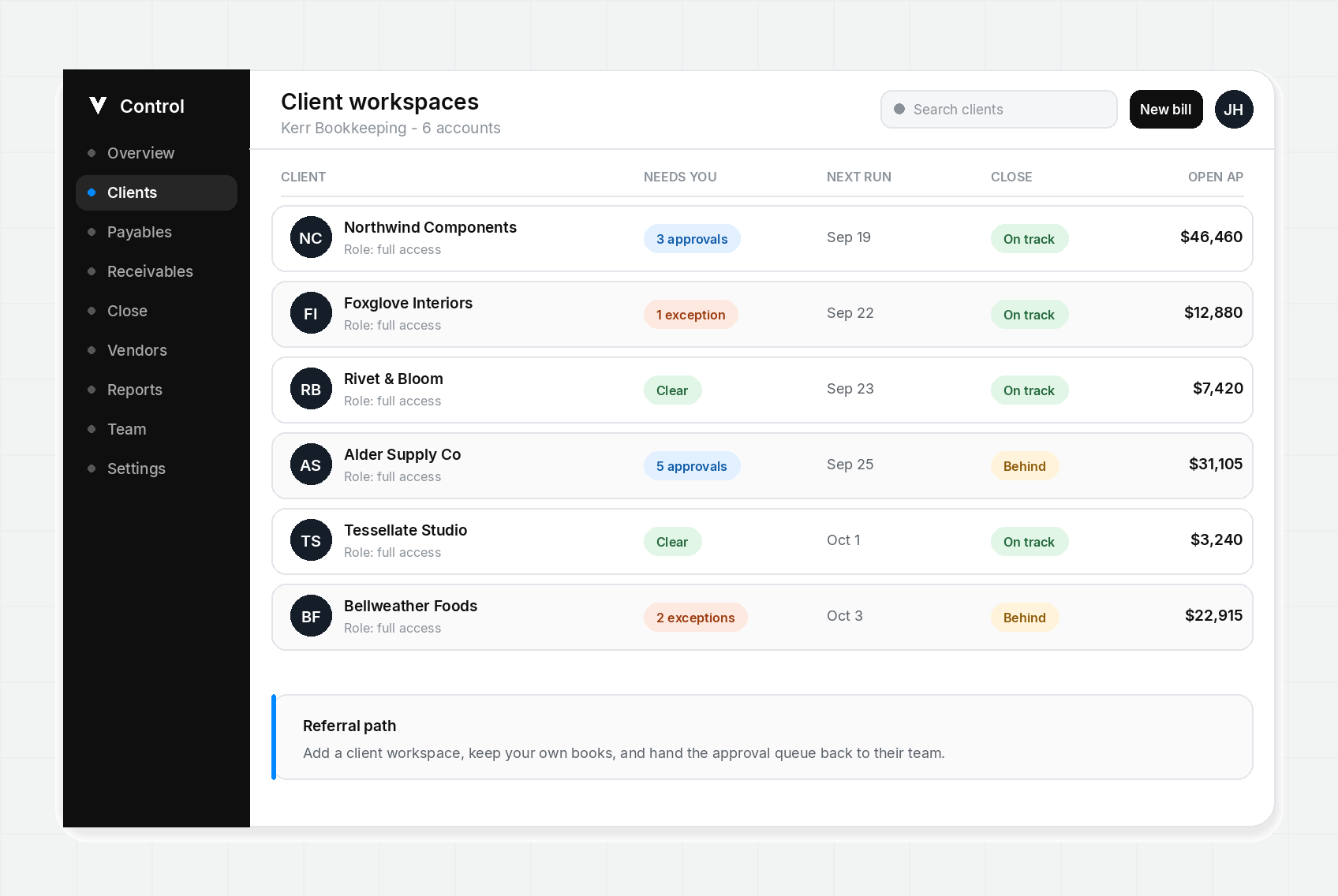
Control is built for the operations half of that split. Partners get client workspaces with role-based permissions, so vendor terms and approval status are visible without asking for another export, and the client's own team keeps the queue current between your visits.
Capvolta is not a bank and does not lend. Payments run through licensed processors, and the client's books stay wherever they already are. The pitch to your client is narrower than most software pitches, which is the point: it takes one job off the spreadsheet and leaves everything else alone.
Get payment alerts by text
Account notifications for payments, invoices, and cash flow warnings. No promotional messages.